Carousel split

Scroll down to see examples and read more about the Carousel Split tool Touch the photo to pick a color Drag to move, pinchscroll to zoom

Premium features used

Subscribe to @macro.viewpoint Patreon to unlock them

Subscribe to one of @macro.viewpoint paid Patreon tiers to unlock them

Open Patreon
Opening photo…
The slides are narrower than 1080 px - they may look soft on Instagram.

macro.viewpoint
Zoom
Photo count
Aspect ratio
Remove the photo?

You can add a new photo after this. Your slide and aspect ratio settings stay

Leave this tool?

Your photos and changes here will be lost

How to split a photo into an Instagram carousel

  1. 1Choose a photo: a wide scene, or a close-up you want to show in more detail
  2. 2Pick 3:4 or 4:5, then drag and zoom to choose the part of the photo to use
  3. 3Swipe through the preview to see the post the way your followers will
  4. 4Save the slides and post them in order as one carousel

Carousel split examples

macro.viewpoint
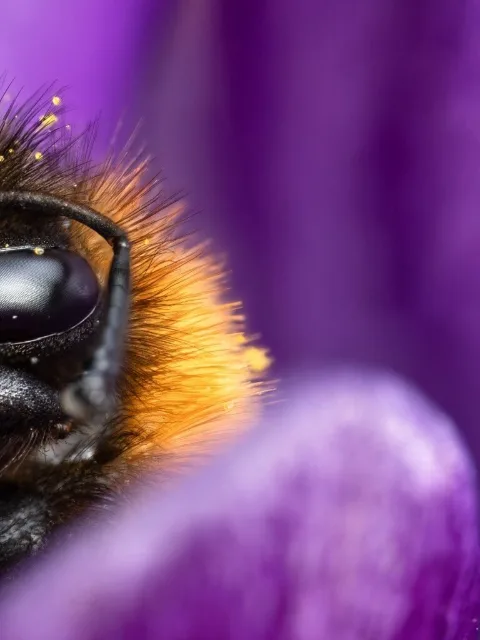
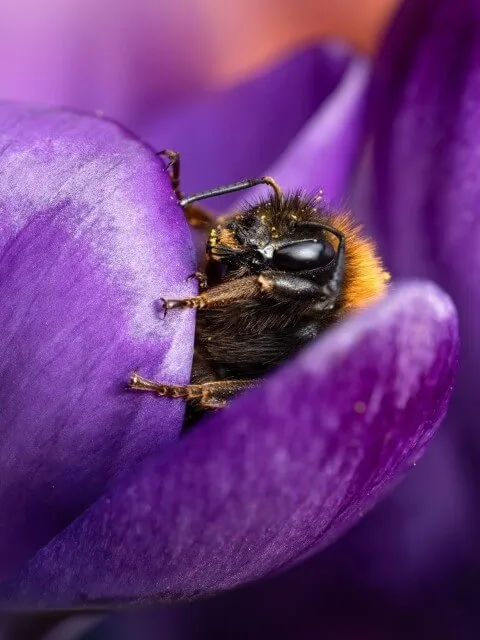
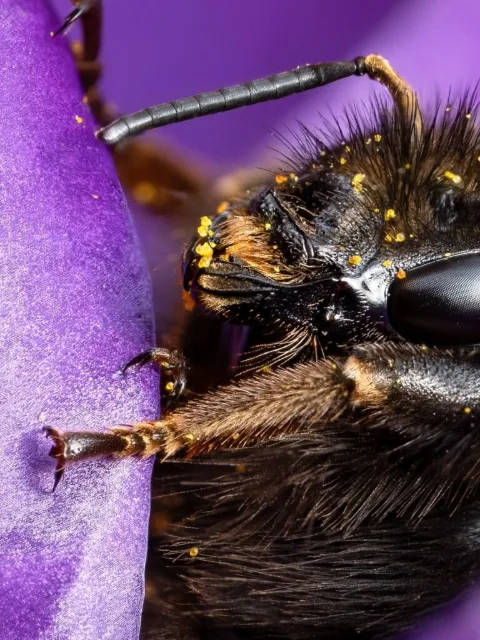
Slide 1: a bumblebee's face and legs on a purple crocus petal Slide 2: the same bumblebee's eye and orange fur
1/2
Show the details up close Zoom in on an insect shot and split it in an immersive detail carousel. This way you can show the tiny grains of pollen and the texture in the eyes that otherwise would've been compressed in the full version. Every slide keeps full quality, so the details stay sharp Swipe the post to see both slides
macro.viewpoint
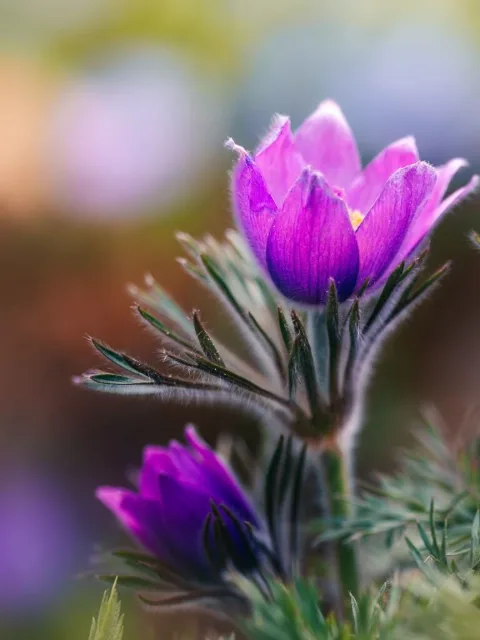
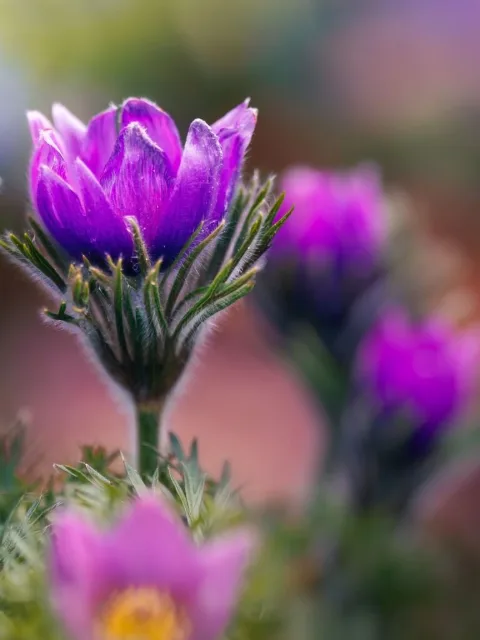
Slide 1: a purple pasqueflower in soft light Slide 2: the scene continues with more pasqueflowers
1/2
Show a wider scene Show your wide or panoramic photo over two slides. These pasqueflowers continue from one slide to the next, so the scene flows on as your followers swipe Swipe the post to see both slides

Pick any part of your photo

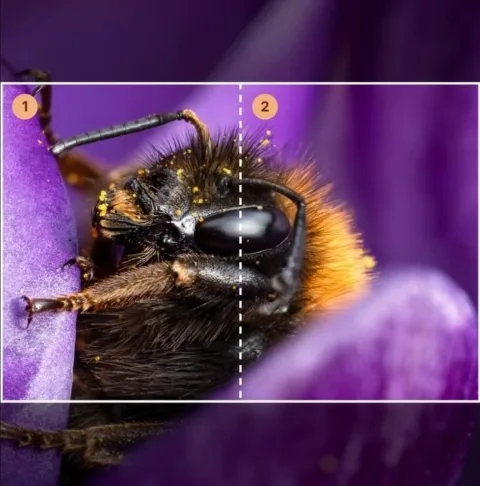
You don't need a panorama. Start from any photo, drag and zoom to choose the area, and the tool cuts it into slides that join up exactly. Here a 3:4 bee photo became two close-up slides

The whole photo: a bumblebee in a purple crocus
Your photoOne 3:4 shot
Picking the area in the tool: two slides marked over the bee's head
Pick the areaDrag and zoom
Slide 1 of the result Slide 2 of the result
The slides2 slides, ready to post

Frequently Asked Questions

Are my photos uploaded?

No, your photo doesn't leave your device. The Carousel Split tool opens and splits your photo locally in your browser, on your own device. Nothing is sent anywhere, and nothing is kept after you close the page

Do I need a panorama photo?

No, any photo works. You can split a wide scene so it continues from one slide to the next, or zoom into a close-up, like an insect shot, so each slide shows a part of it in full detail

Will the slides line up when I swipe?

Yes, the slides are cut straight out of your photo without any resizing, and every slide is exactly the same size, so they line up perfectly when your followers swipe

Should I use 3:4 or 4:5?

Instagram now shows posts in 3:4, which is taller and fills more of the screen, while 4:5 is the older portrait size. Both work in a carousel - just use the same one for every slide

How big are the slides?

As big as your photo allows. The more you zoom in, the smaller the part of the photo that's used, down to slides 1080 px wide - the width Instagram shows. The tool lets you know when the slides would be smaller than that

Can I split a photo into 3 or 4 slides?

Yes, when your photo is big enough for slides at least 1080 px wide. 3 and 4 slides are only available to subscribers of @macro.viewpoint. Everyone can try them, but without a paid Patreon membership, the slides are saved with a watermark

Is the carousel split tool free?

Yes, splitting a photo into 2 slides, picking the area, the swipe preview and the export are free, with no sign-up required

What is the Carousel Split tool?

You can use this tool to create a seamless carousel, splitting one photo into several Instagram slides. When your followers swipe, the photo carries on from one slide to the next, so the whole post reads as one picture. It's an immersive way to show a wide scene, or to zoom into a close-up, such as an insect shot, and give each detail a slide of its own.

Made for photographers

I made this tool for my own Instagram posts. When you crop the photos manually, you often end up with slides that don't align perfectly, and the swipe experience is disrupted. And without this tool, you're unable to show the true level of details in your photo since Instagram resizes and compresses the photos.

When using this tool, the transition is seamless and you can show the intricate details of your macro or any other photo without losing quality. This tool cuts the slides straight from your original photo in exact Instagram sizes and keeps the photo's colors and camera details.

Key features

  • Seamless slides in 3:4 or 4:5
  • Works for wide scenes and close-up details
  • Drag and zoom to pick the area you want
  • A swipe preview, just like the post on Instagram
  • No resizing, the slides keep your photo's original size
  • Works on your phone, nothing is uploaded